






For your service team
JamWaiterThe POS that goes to the table
Floor plan, ordering by guest and course, splitting and payment: your team does it all at the table. The kitchen gets the order instantly, and you see your sales live.
- CHF 40
- per month, paid annually, one subscription per venue, not per device
- Cancel monthly
- no minimum term, your data and setup are kept if you come back
- iPad, Android and Sunmi
- and as an app on the JamTerminal
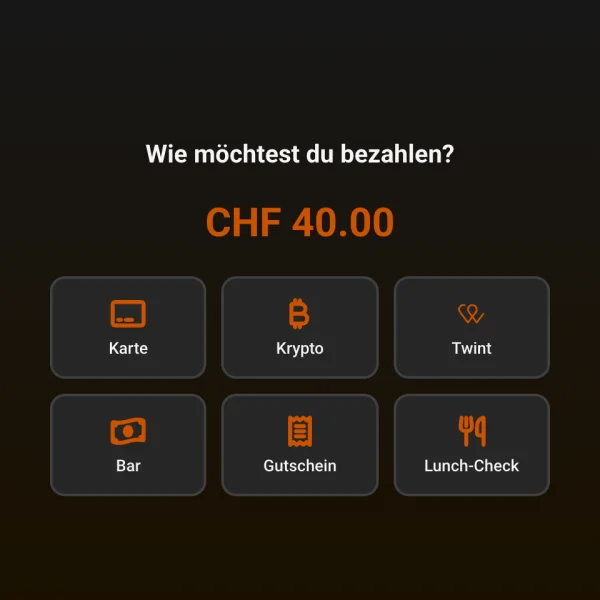
Payment the way your guests are used to
- TWINT
- Visa
- Mastercard
- Apple Pay
- Google Pay
- LunchCheck
- Cash
- Vouchers
An evening with JamWaiter
From floor plan to paid bill
- 01
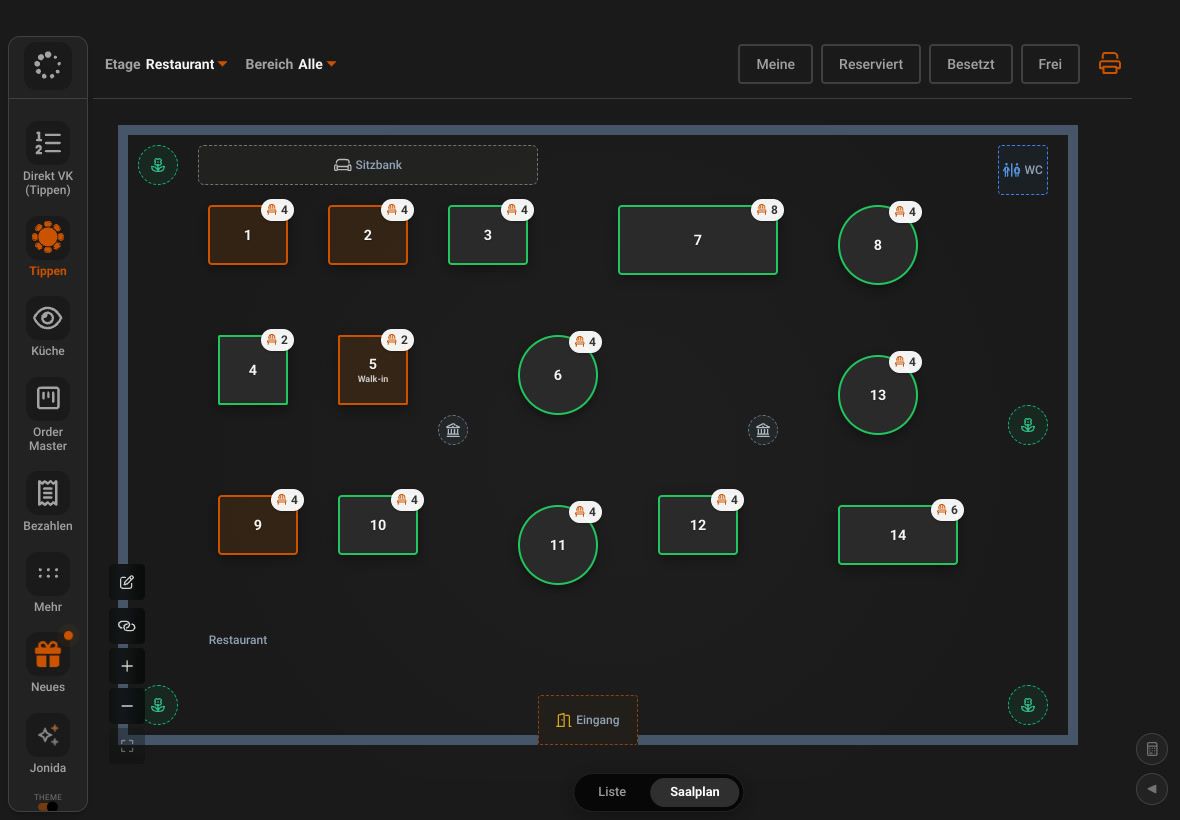
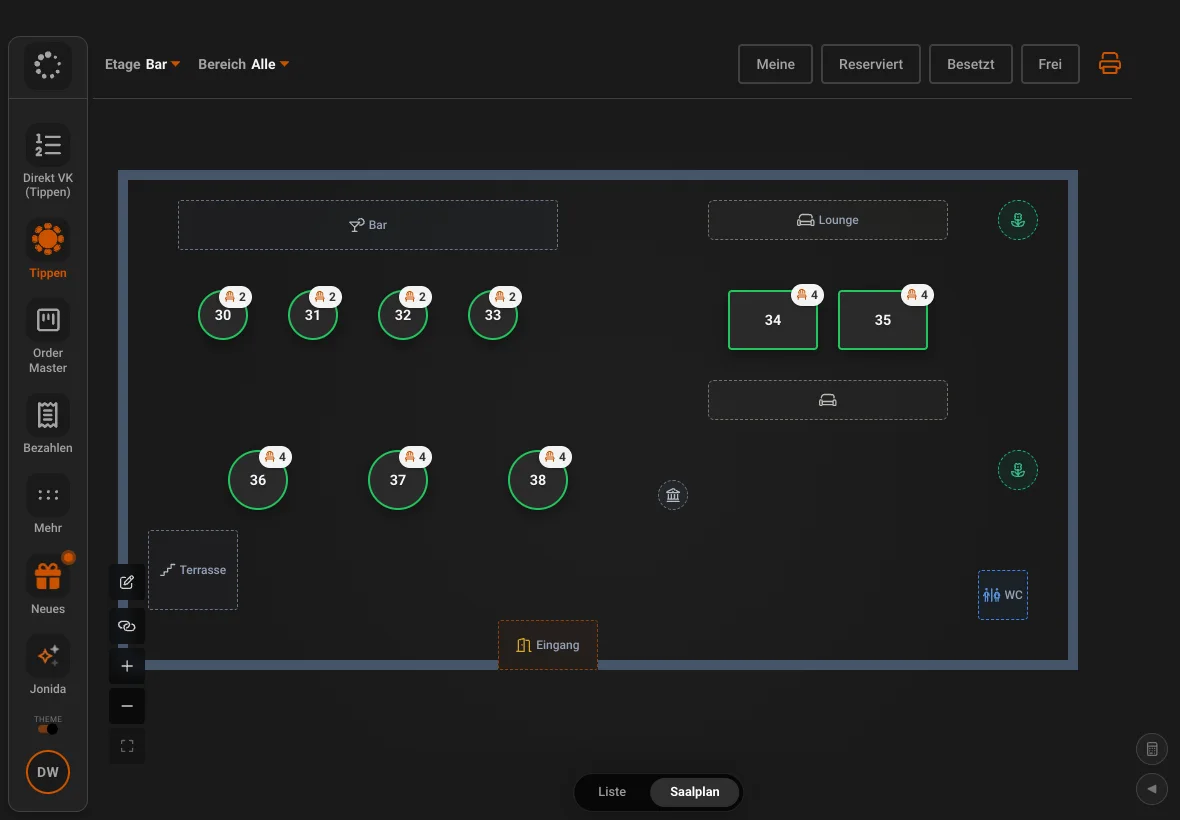
The floor plan shows what is going on
Free, occupied and reserved tables at a glance, by floor and area. Guest names from the reservation appear right at the table.
- 02
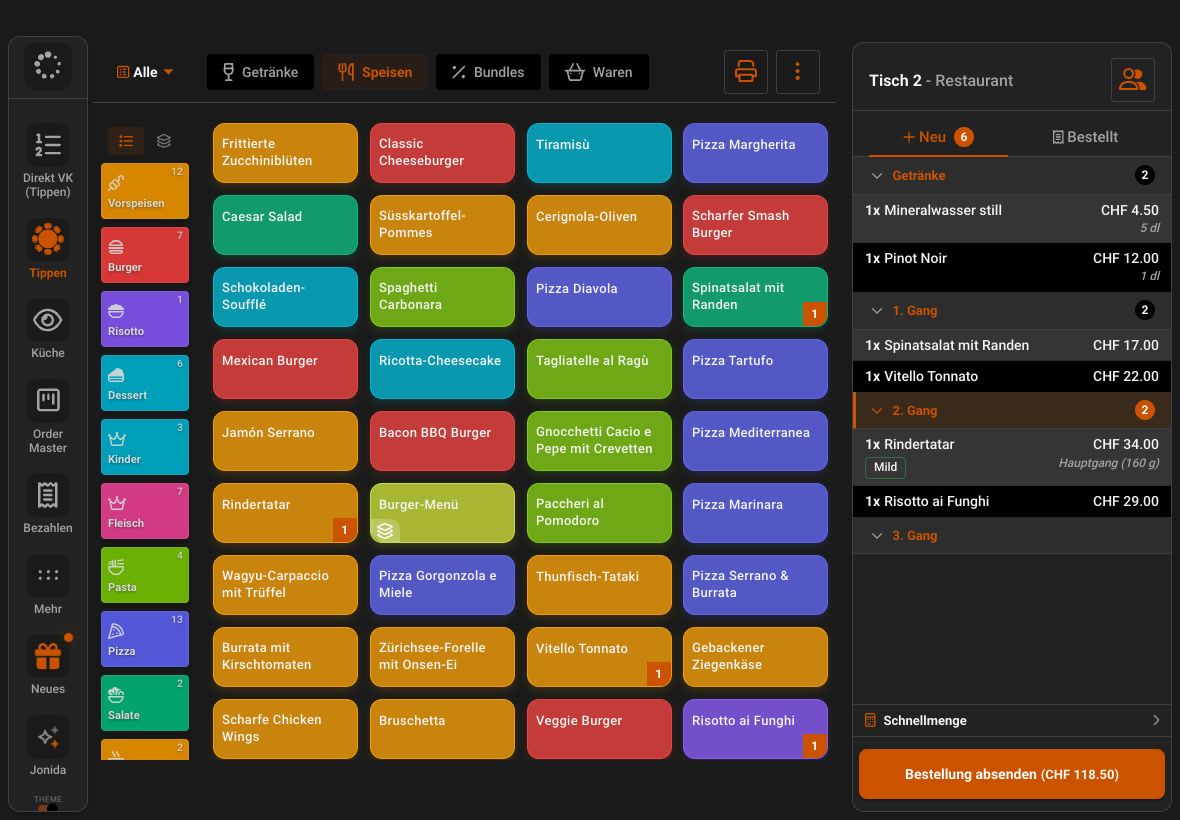
Order by guest and course
Every item belongs to a guest and a course. The kitchen gets the ticket grouped, and splitting the bill later takes one tap.
- 03
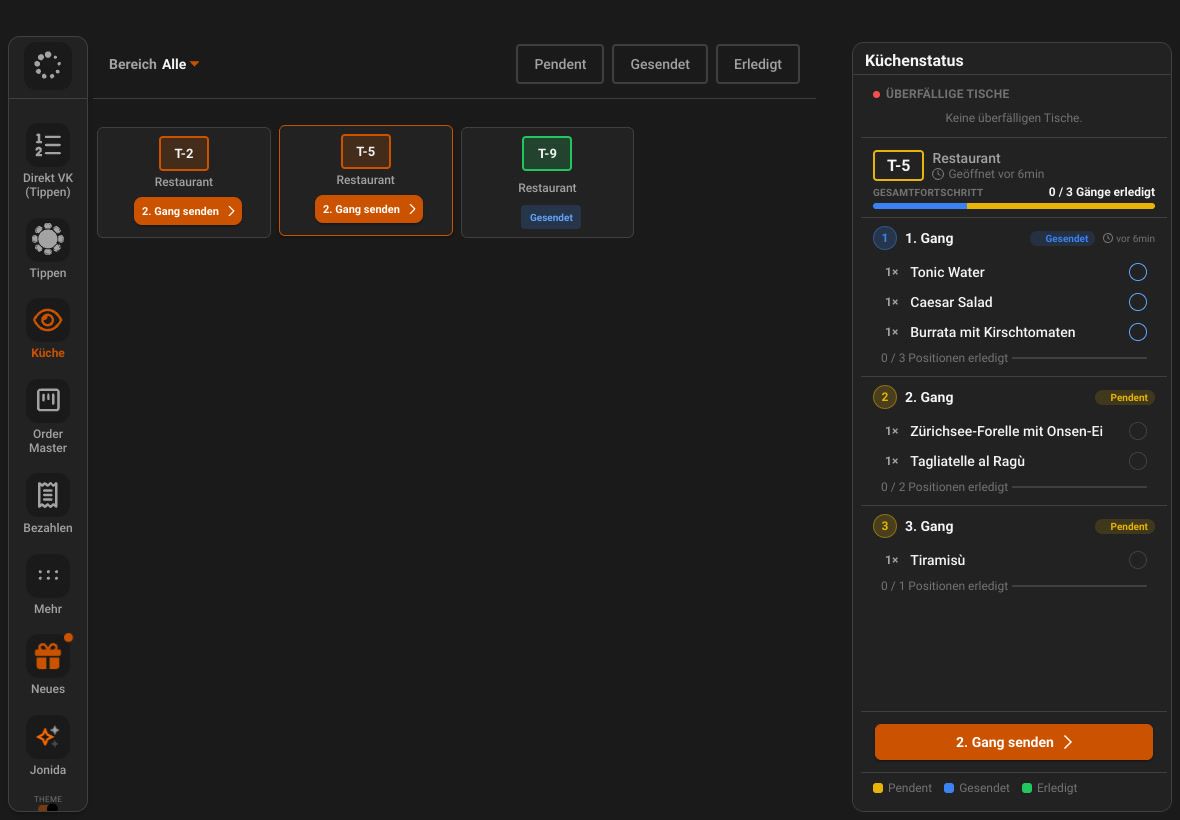
Fire courses
You send the next course when the table is ready. The kitchen sees what needs cooking.
- 04
Counter and direct sales
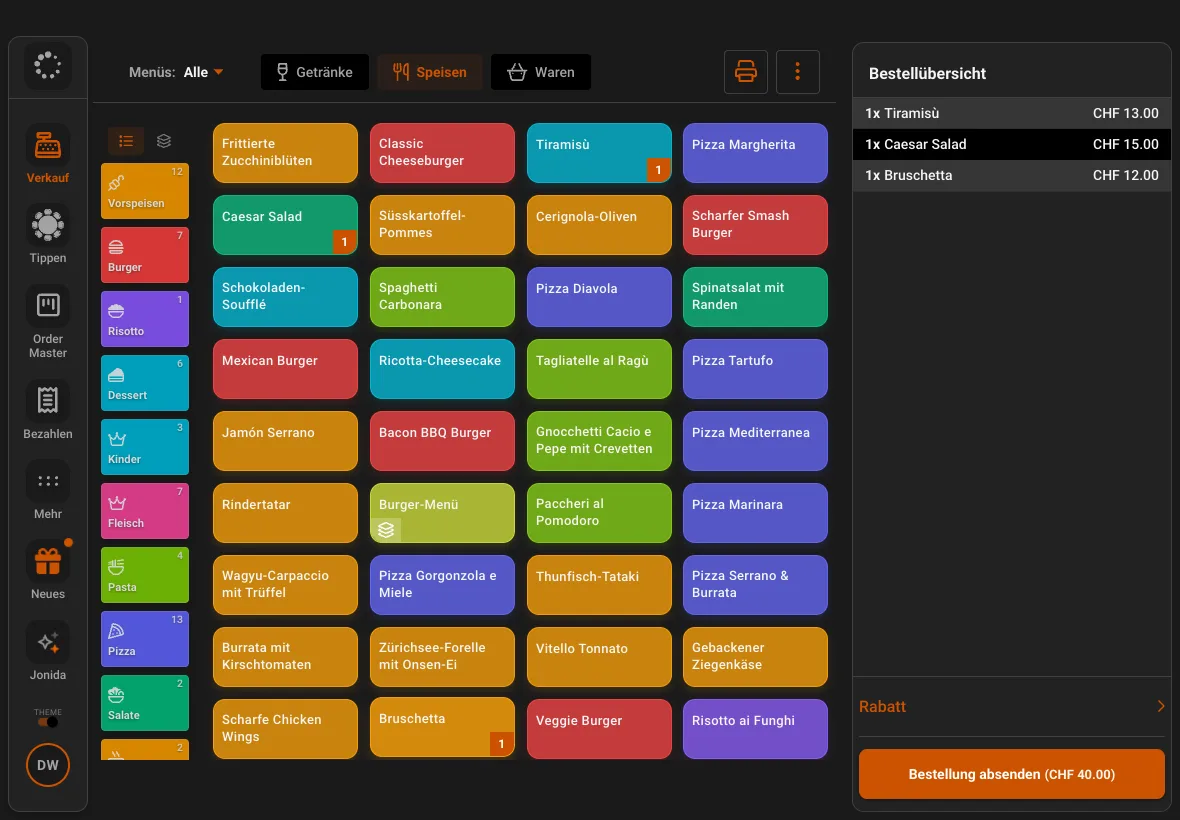
At the counter, you tap products on coloured tiles and take payment right away, without a table.
Features
What JamWaiter takes off your service team
Personal Dining
Every guest has their place on the bill
Items per guest, split by guest and guest blocks on the kitchen ticket. Switch the feature on in OrderAdmin at no extra cost.
Customer display
The guest sees it too
A second device shows the order live with the total. The guest chooses how to pay and then sees the receipt.
Bar, bistro, take-away
Order Master: the kitchen inside JamWaiter
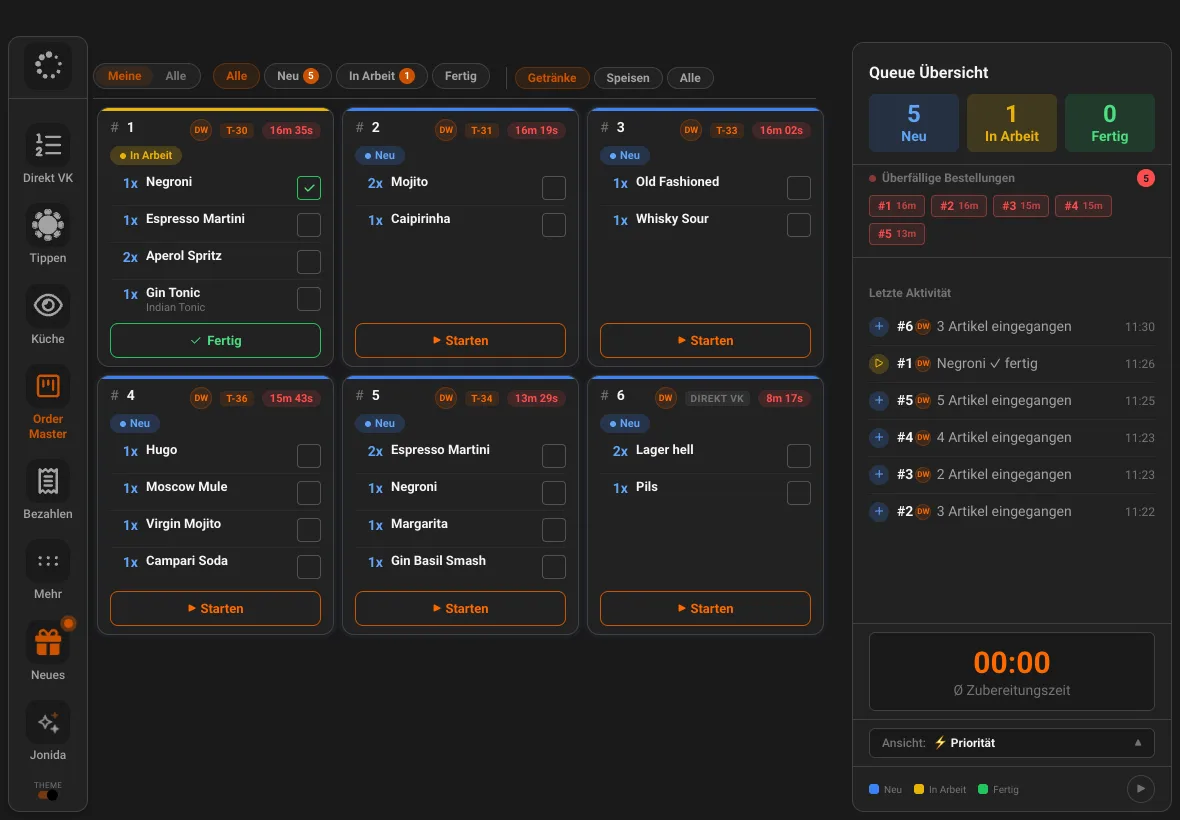
Where there is no large kitchen, you do not need a separate screen. Order Master shows every order as a card with its waiting time, and bar and counter tick off item by item.
Guest profile
Allergies in view
Guests with allergies are flagged at the table. If a dish contains an allergen, JamWaiter warns you when ordering.
Vouchers
Sell and redeem
Sell at the counter, redeem by code, the remaining balance stays on the voucher.
Cash
Cash book and drawer
Pay-ins, pay-outs and every time the drawer opens, logged continuously and impossible to delete.
Bar and lounge
Several floors, one floor plan
Restaurant, bar, lounge and terrace as separate areas. Your team filters by its own tables.
Payment
Tap to Pay and JamTerminal
Take payment at the table with JamTerminal or with Tap to Pay via Stripe.
See JamTerminal
Your assistant on the team
Ask Jonida. Or let her handle it.
Jonida is the assistant in JamWaiter and OrderAdmin. She answers questions about how things work and takes you to the right screen. Now she also gets tasks done: you say what you need, Jonida shows you the change, and nothing is carried out until you confirm.
- Mark a product as sold out or available again
- Change prices, including for sizes like 3 dl and 5 dl
- Confirm reservations, mark them as arrived or no-show
- Create a new product in the conversation
- Suggest descriptions and allergens for dishes
The tiramisù is finished for today.
Shall I mark the tiramisù as sold out? Confirm and I will make the change.
Confirm
Done. The tiramisù is marked as sold out.
Pricing
One subscription per venue, not per device
JamWaiter can be cancelled monthly. Paying in advance makes it cheaper.
Prices in CHF. JamTerminals are free with a minimum of six months' use.
Monthly
CHF 49
per month, cancel any time to the end of the month
Annual
CHF 40
per month, paid one year in advance
Two years
CHF 35
per month, paid two years in advance
How it fits together
JamWaiter is at the centre
- GuestsJamOrder
order themselves via QR code
- ServiceJamWaiter
takes orders, splits and takes payment
- KitchenKitchen display
works through the orders
- PaymentJamTerminal
card and TWINT at the table
- Back officeOrderAdmin
menu, team and reports
FAQ
Questions about JamWaiter
Which devices does JamWaiter run on?
On iPad, on Android tablets and smartphones, on Sunmi devices and as an app on the JamTerminal.
Do I pay per device?
No. There is one subscription per venue, not per device.
Is there a minimum term?
No. You can cancel JamWaiter at any time to the end of the month. If you come back later, your data and setup are kept.
Does JamWaiter work without internet?
JamWaiter needs a connection. That is why smartphones and JamTerminals come with a SIM card, and printers can too if you wish.
Demo
See Jamatu for yourself
In our demo you click your way through the floor plan, courses and payment all the way to the end-of-day closing. Once you sign up, we activate your access.
- Free and with no obligation
- In your browser, no installation