






For service and counter
JamTerminalPOS and card payment in one device
JamWaiter runs on the JamTerminal. Your team takes orders, rings them up and accepts card or TWINT right at the table, with one device in hand.
- Free
- no purchase, no monthly rental, with a minimum of six months' use
- With SIM card
- 4G built in, plus Wi-Fi
- Three models
- for the table, the counter and as a customer display
Payment the way your guests are used to
- TWINT
- Visa
- Mastercard
- Apple Pay
- Google Pay
- LunchCheck
- Cash
- Vouchers
Customer display
The guest sees what they are paying for
A second device becomes the customer display: an N62, a tablet or a connected JamTerminal. JamWaiter also drives the built-in display of the N86 Pro.
- 01
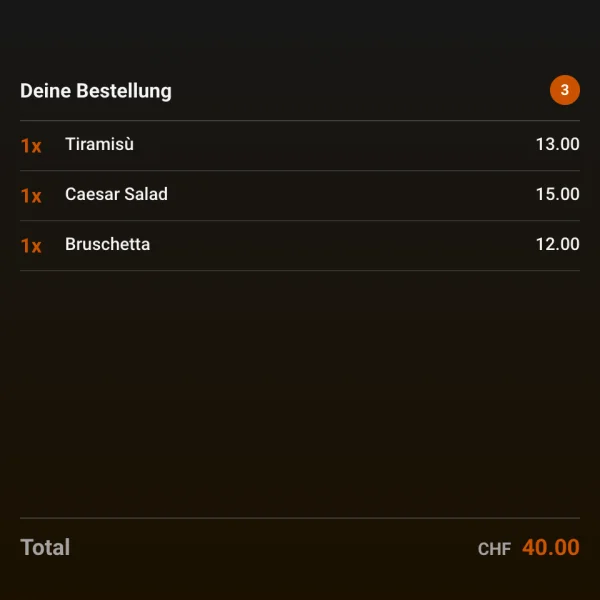
The order updates live
While your team enters the order, the guest sees every item and the total.
- 02
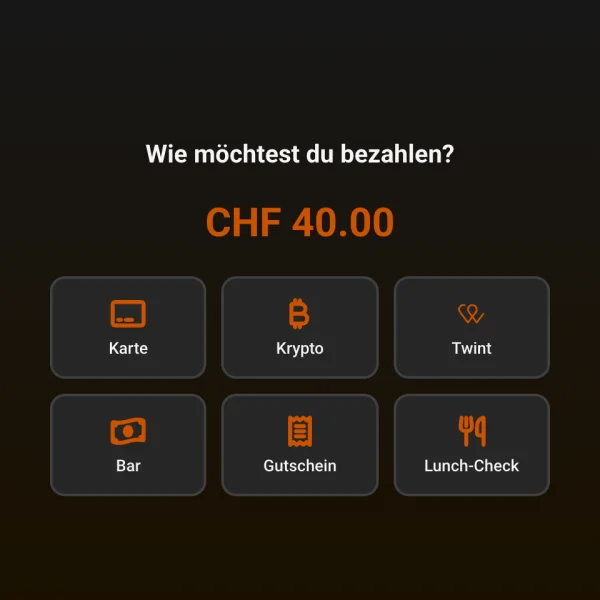
The guest chooses how to pay
Depending on the venue: card, TWINT, cash, voucher, Lunch-Check or crypto.
- 03
Thank you and receipt
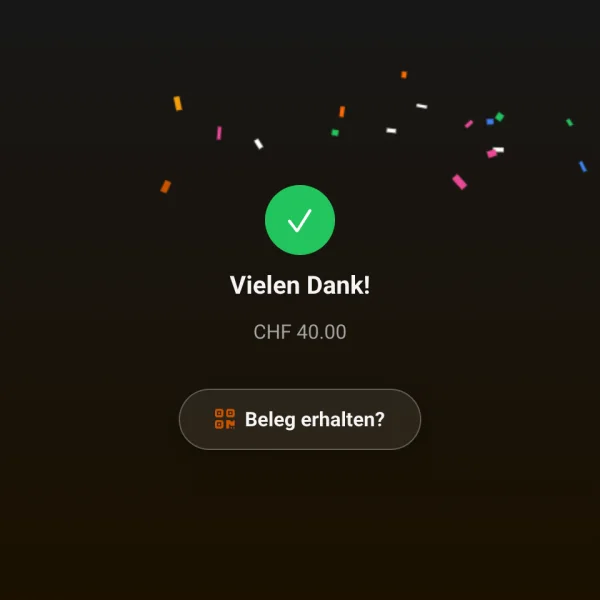
After payment, «Thank you» appears, along with the receipt if requested.
Models
Three devices, three jobs
N6 Pro
265 gTable service, small and light
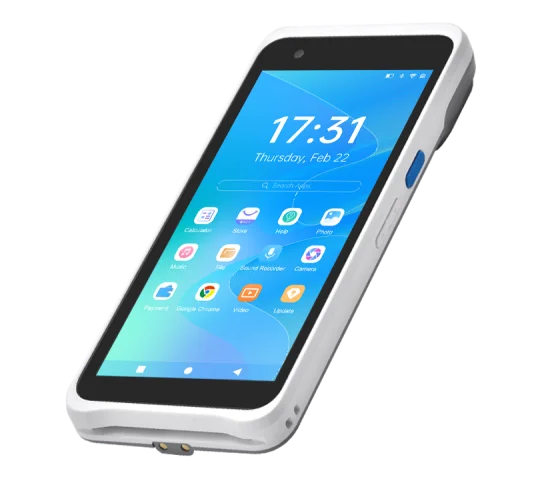
- Android 13, 5.5-inch display (1440 x 720)
- Chip, contactless and magnetic stripe cards
- 4G with SIM card, Wi-Fi 2.4 and 5 GHz, Bluetooth 5.0
- 4000 mAh battery
- IP54, 1.2 m drop protection
- No printer
N86 Pro
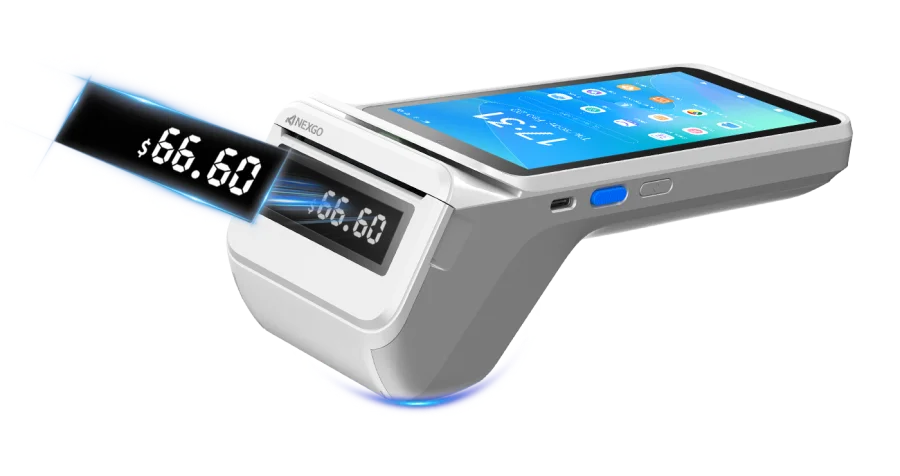
Built-in printerCounter, window and pickup
- Android 13, 5.5-inch display
- Thermal printer, up to 80 mm/s
- Optional 2.36-inch customer display
- Chip, contactless and magnetic stripe cards
- 4G with SIM card, Wi-Fi 2.4 and 5 GHz
- 2600 mAh battery (3300 mAh optional), 428 g
- IP54, 1.5 m drop protection
N62
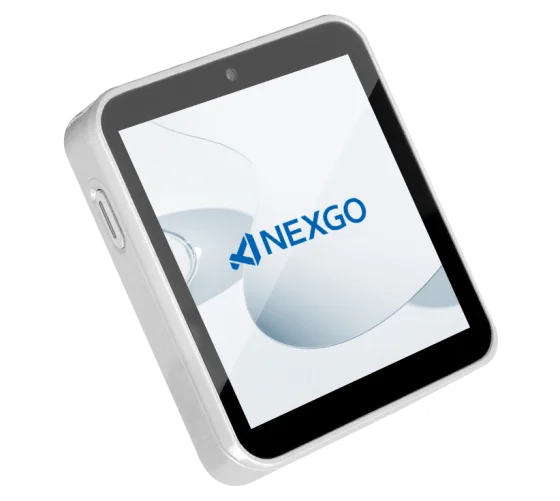
176 gCompact customer display at the till
- Android 10, 4-inch square touchscreen (480 x 480)
- Chip and contactless cards
- 4G with two SIM slots, Wi-Fi 2.4 and 5 GHz
- 2000 mAh battery
- Optional charging base
Technical details according to the data sheets on nexgoglobal.com, «Specification» tab.
Payment
Take payment where the guest sits
At the table
Order and take payment on the same device
No trip to the till and no second terminal. JamWaiter runs on the JamTerminal, and the payment goes straight to the table.
CHF 0
Device costs
With a minimum of six months' use.
Refunds
Straight to the terminal
If your team voids a payment, the refund goes back automatically.
Alternatives
Tap to Pay or an external terminal
If you prefer to take payment with an iPhone, use Tap to Pay via Stripe in JamWaiter. An external terminal works too.
Connectivity
SIM card instead of dead spots
JamTerminals have a SIM card. So your POS stays connected in the garden and on the terrace, where the Wi-Fi is weak.
FAQ
Questions about JamTerminal
How much does a JamTerminal cost?
Nothing: no purchase and no monthly rental, with a minimum of six months' use. Depending on the venue, we usually provide up to two JamTerminals free of charge. If you need more, we look at it individually.
Which model do I need?
For table service, the light N6 Pro. For counter, window and pickup, the N86 Pro with printer. As a customer display at the till, the compact N62.
Does the terminal work without internet?
Jamatu needs a connection. That is why JamTerminals have a SIM card and also work where the Wi-Fi does not reach.
Does the terminal print receipts?
The N86 Pro has a built-in printer. The N6 Pro and N62 do not.
Demo
See Jamatu for yourself
In our demo you click your way through the floor plan, courses and payment all the way to the end-of-day closing. Once you sign up, we activate your access.
- Free and with no obligation
- In your browser, no installation