






For the back office
OrderAdminOne back office for menu, team and figures
What you change in OrderAdmin applies instantly at the table, on the QR code, at the kiosk and on your website. Menu, daily planning, reservations, vouchers and reports are all in one place.
- One catalogue
- for JamWaiter, JamOrder, JamKiosk and the online menu
- Multiple brands
- restaurant, bar and spa, each with its own look, in one account
- Reporting 2.0
- all channels in the same reports
Tour
Three views you need every day
- 01
Products and menus
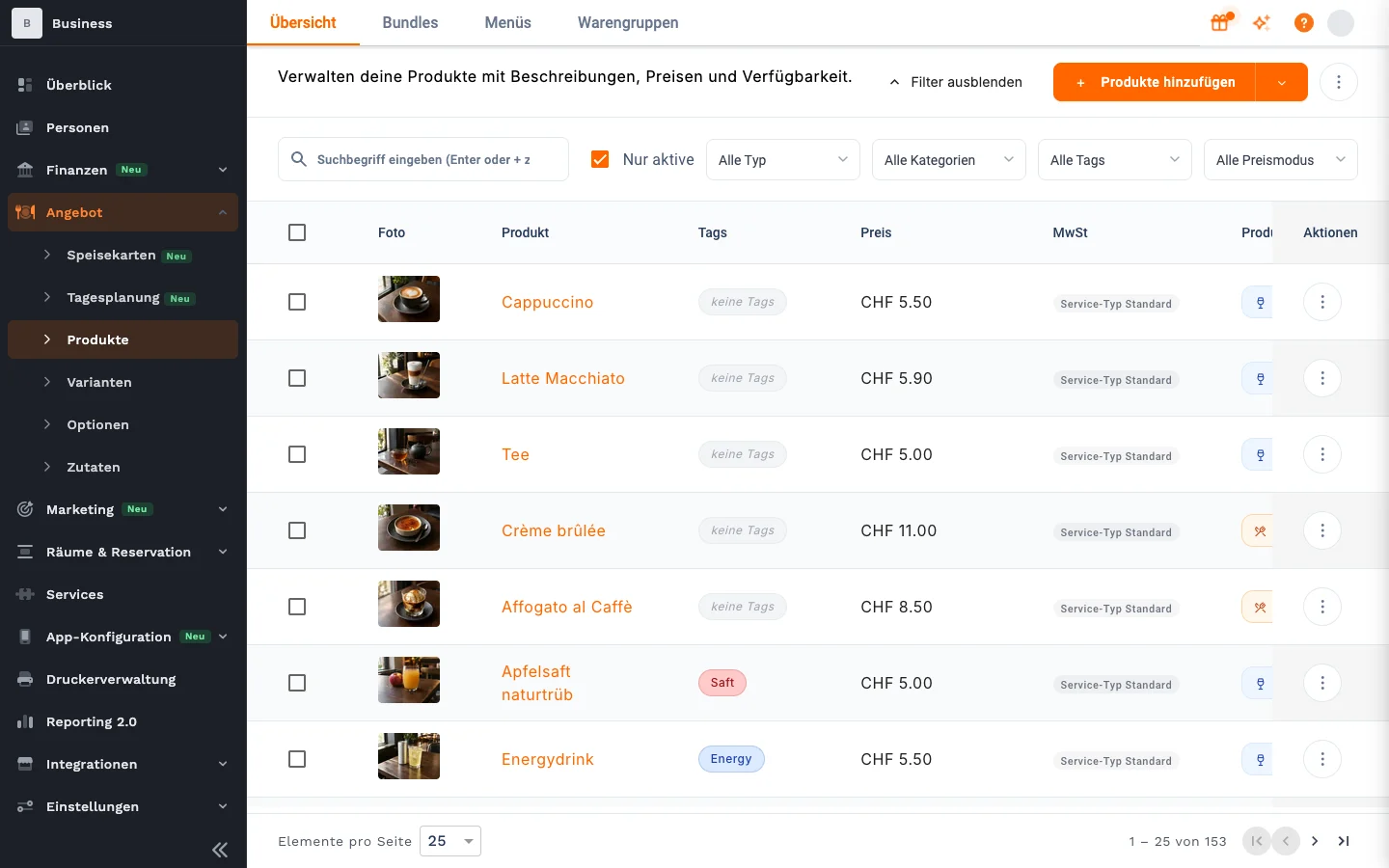
Products with variants, options and ingredients. Maintain them once and they are up to date everywhere: at the table, on the QR code and on your website.
- 02
Daily planning
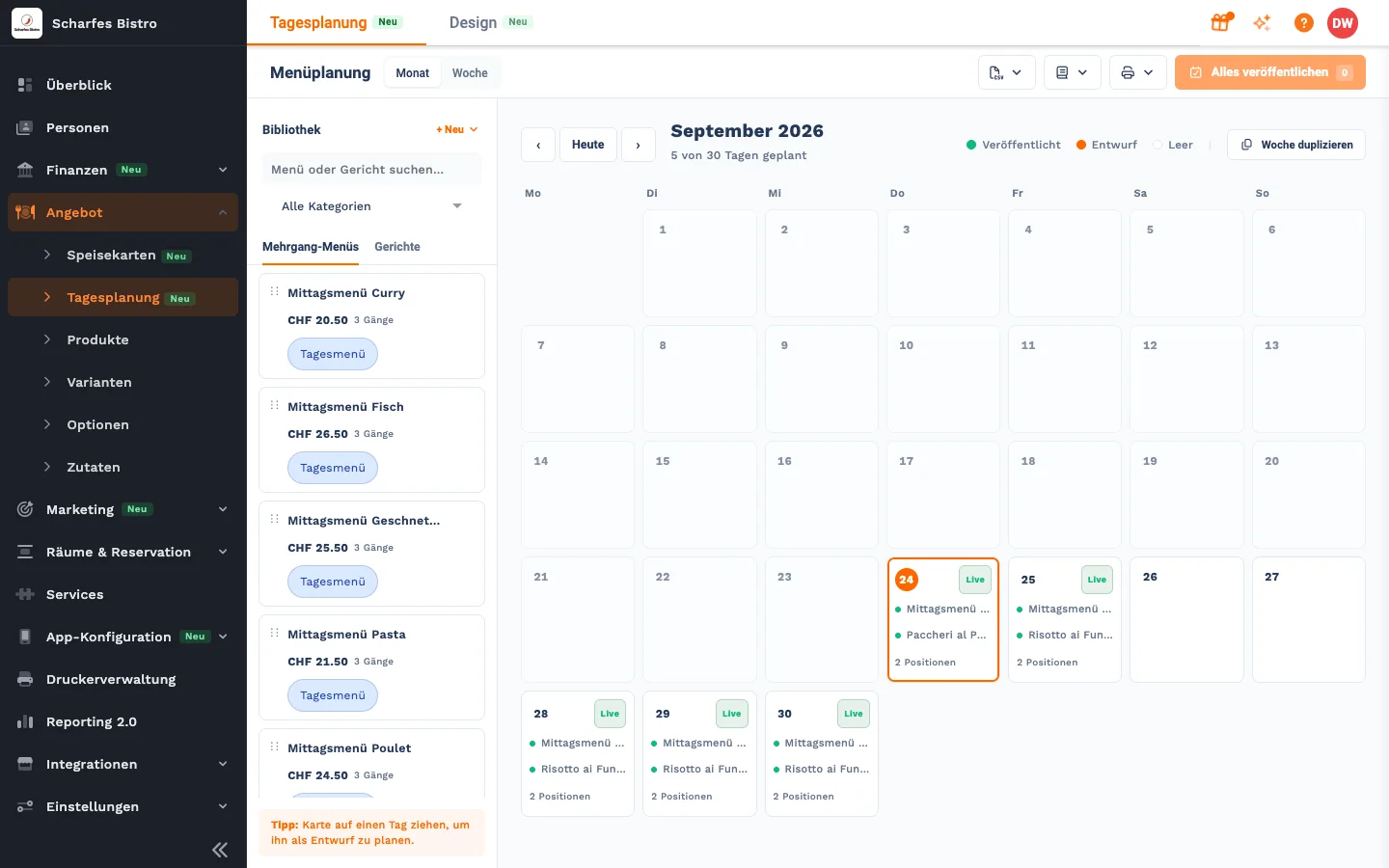
Drag and drop menus and dishes onto days, save weeks as templates, print daily sheets and weekly menus as PDF.
- 03
Tables and QR codes
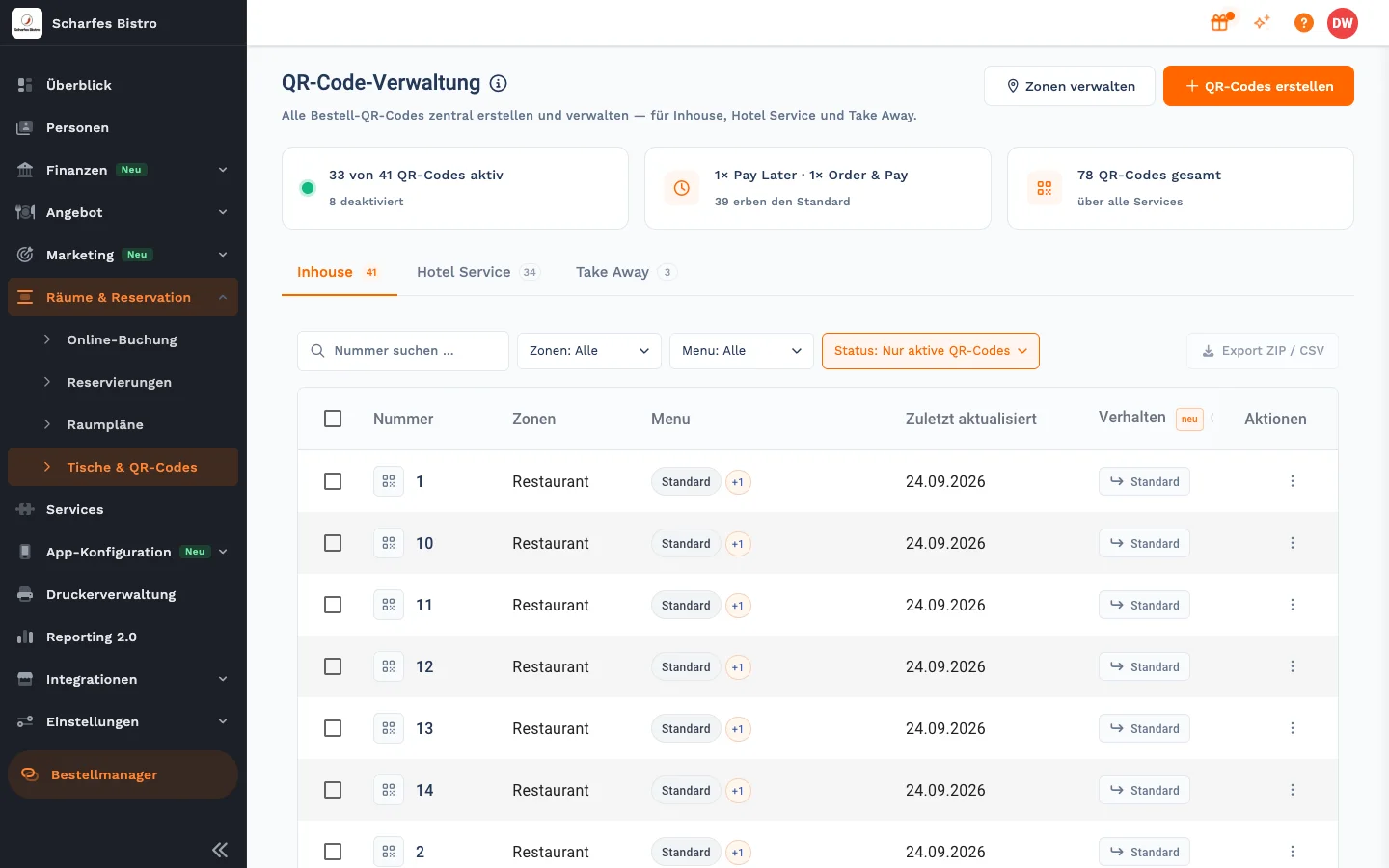
All ordering QR codes for in-house, hotel service and take-away in one place, with zones, menus and export.
Features
What would otherwise sit in lists and folders
For your website
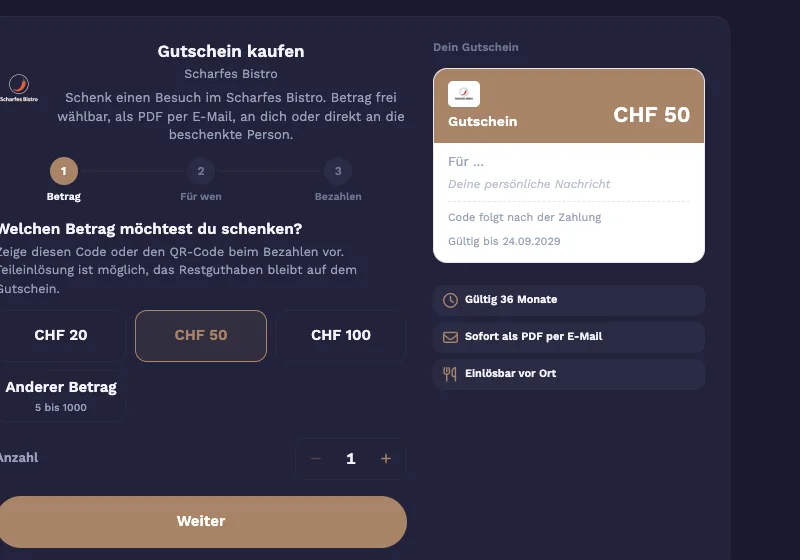
Reservations, online menu and vouchers as widgets
You get the embed code in OrderAdmin. The widgets carry your logo and colours, and bookings and purchases come straight to you.
Jonida
Prices and availability on request
Tell Jonida what changes. Nothing happens until you confirm.
Meet JonidaVouchers
Open vouchers in the report
Status, goodwill, voids and outstanding liabilities, with Excel export.
Cash book
Nothing is deleted
Wrong entries are voided and the original stays visible. Only owners and managers can void.
Guests
Guest profiles
Allergies, intolerances, notes and tags. The service team sees them in JamWaiter.
Printer management
Tickets to the right station
Printers for kitchen and bar, ticket templates, printing by course and the cash drawer on the Epson receipt printer.
See printers
Your assistant on the team
Ask Jonida. Or let her handle it.
Jonida is the assistant in JamWaiter and OrderAdmin. She answers questions about how things work and takes you to the right screen. Now she also gets tasks done: you say what you need, Jonida shows you the change, and nothing is carried out until you confirm.
- Mark a product as sold out or available again
- Change prices, including for sizes like 3 dl and 5 dl
- Confirm reservations, mark them as arrived or no-show
- Create a new product in the conversation
- Suggest descriptions and allergens for dishes
The tiramisù is finished for today.
Shall I mark the tiramisù as sold out? Confirm and I will make the change.
Confirm
Done. The tiramisù is marked as sold out.
How it fits together
Change it once, up to date everywhere
- Back officeOrderAdmin
manages menu, prices and settings
- ServiceJamWaiter
takes orders with the current menu
- GuestsJamOrder
see the same menu via QR code
- KioskJamKiosk
shows it on the touchscreen
FAQ
Questions about OrderAdmin
Do I need to install OrderAdmin?
No. OrderAdmin runs in your browser.
Can I manage several venues or brands?
Yes. Under App configuration › Brands you create several brands, each with its own name, colours, logo and guest links.
Can I import my menu from Excel?
Dishes can be uploaded via bulk import and then assigned to a course of a menu.
Demo
See Jamatu for yourself
In our demo you click your way through the floor plan, courses and payment all the way to the end-of-day closing. Once you sign up, we activate your access.
- Free and with no obligation
- In your browser, no installation