





For bars, lounges & clubs
Busy bar. Short trips. Clean accounts.
With Jamatu, your team rings up quick sales at the counter, keeps lounge tables and groups running smoothly and closes the shift with a clear report.
- Quick sales without assigning a table
- TWINT, card, Tap to Pay and cash
- Cancel monthly, no minimum term

Paid with TWINT
Lounge 4 · CHF 64.00 incl. tip
Payment the way your guests are used to
- TWINT
- Visa
- Mastercard
- Apple Pay
- Google Pay
- LunchCheck
- Cash
- Vouchers
Night-time trade
Made for rush hour at the bar
When it gets busy, every move counts. Jamatu keeps ordering and paying short and still keeps track of everything.
Quick sales, no detours
Pick a drink, pay, done. No table needed, ideal for the counter.
Keep tables & groups running
Lounge tables stay open until they are paid. All amounts at a glance.
Split payments
Each round separately or split by guest, partial payments included.
Tips at a glance
Record tips at payment and analyse them in the tips report.
Counter, lounge, terrace
One system for every station
Tablets in service, tickets at the bar and reports all come together, no matter how many stations you have.
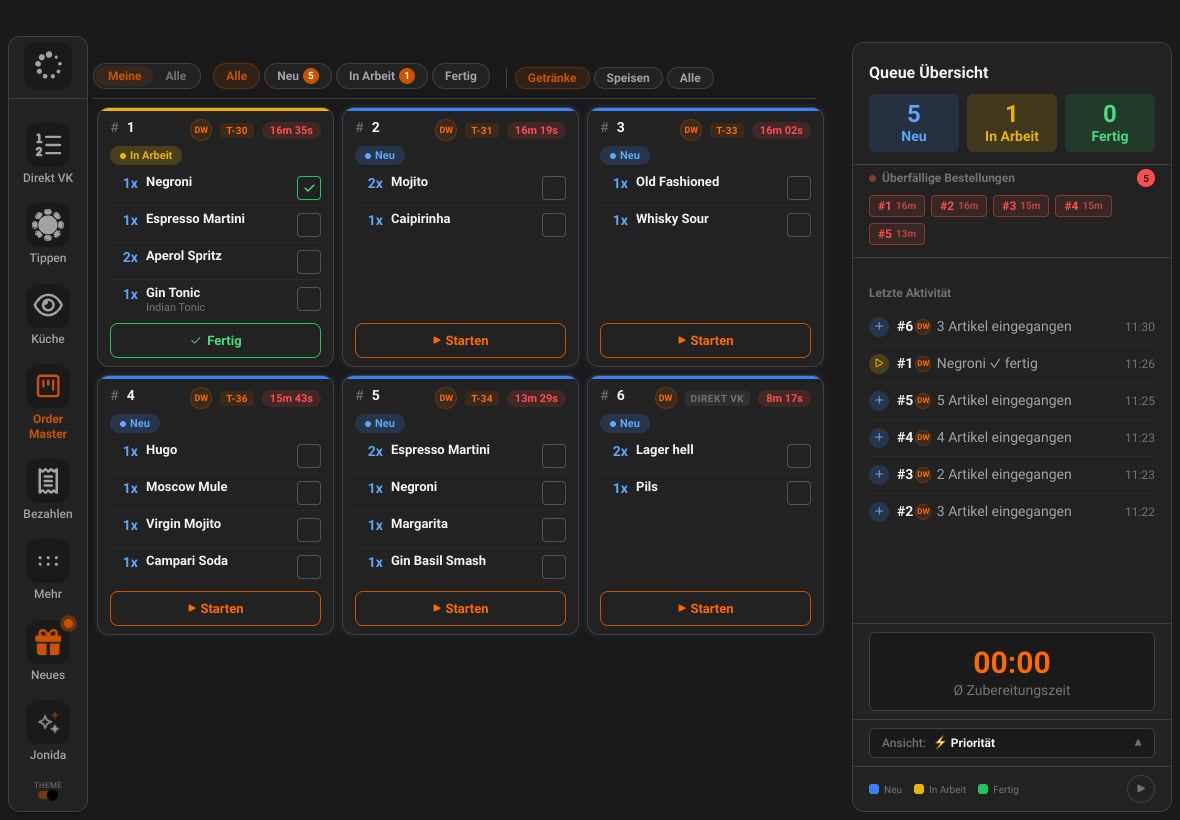
Order Master
The bar sees every order instantly
In the Order Master in JamWaiter, orders appear as cards, split into drinks and food, with timing cues. The bar ticks off each drink individually.
- A dedicated view for drinks
- Orders from service, the counter and QR code
- On a big screen as the Order Dashboard
JamWaiter
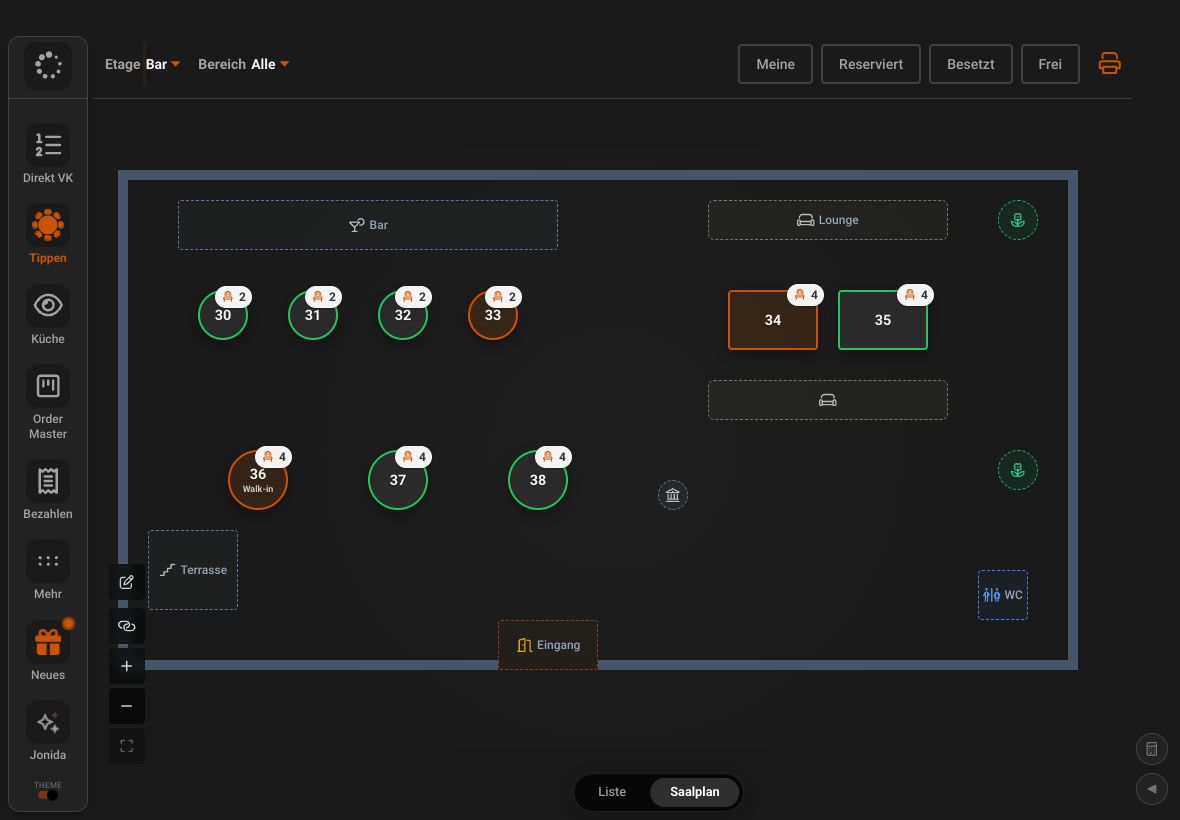
Lounge and bar counter on one plan
Bar, high tables and lounge on their own floor plan. You see open tables, walk-ins and amounts at a glance, even when the group stays all evening.
- A separate floor for bar and lounge
- Open amounts per table
- Reorder with just a few taps
JamOrder
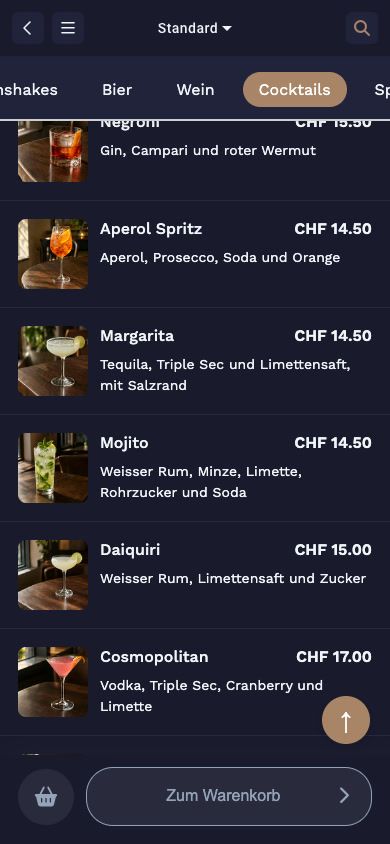
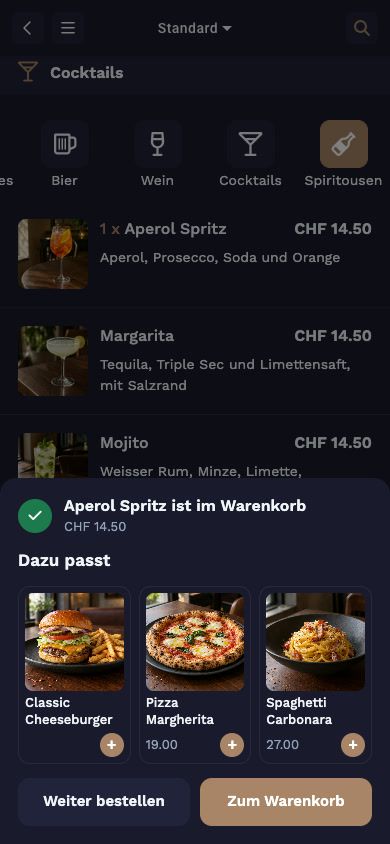
The terrace orders for itself
Guests scan the QR code on the table, choose from a menu with pictures and pay right away. The order appears instantly in the Order Master at the bar.
- No app, right in the browser
- Smart suggestions with “Goes well with”
- JamOrder with no monthly fee
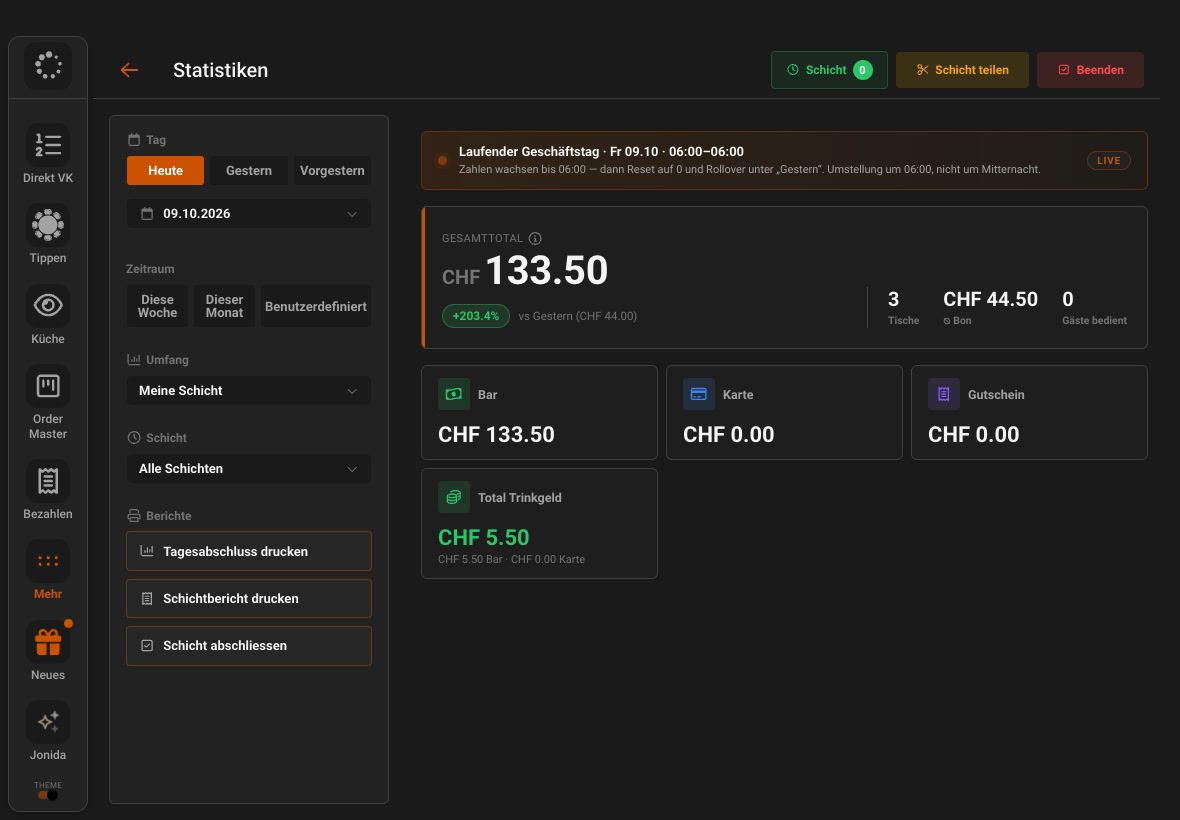
Statistics
Shift closing without the paperwork
During the night, the live overview shows revenue, open tables and tips. At the end, you print the shift report and end-of-day closing straight from JamWaiter.
- Payment methods and tips per shift
- Print the shift report and end-of-day closing
- Reporting 2.0 in OrderAdmin with export
Lounge & groups
Tables stay open, and so does the overview
Run lounge tables and groups all evening long. JamWaiter always shows where something is still open.
- Table overview with open amounts
- Change or void items, with a reason
- Reopen and correct a closed table

Terrace & events
Guests order by QR code themselves
On the terrace or in the lounge, guests order with JamOrder straight from their smartphone. No app, and payment is included.
- JamOrder In-House with no monthly fee
- Orders land straight at the bar
- Promo codes, for example for events
Ordered by QR code on the terrace
Orders land straight at the bar
How a night runs
From the first round to the shift closing
Order
Quick sale at the counter, on a tablet at the table or by the guest via QR code.
Prepare
Tickets at the bar or the Order Master show what is up next.
Take payment
TWINT, card, Tap to Pay or cash, tips included.
Close
Interim closing and shift report, even across multiple devices.
Everything in one place
What else your bar needs
Vouchers
Sell and redeem vouchers, at the bar or online in the shop.
Discounts
Discounts right at checkout, traceable in the discount report.
Voids with a reason
Every void is recorded with a reason and visible in the void report.
Order Dashboard in the browser
All orders in real time on any screen with a browser.
Top products & revenue
Which drinks are selling: product sales, top sellers and daily revenue.
Staff report
Revenue, voids and discounts per team member at a glance.
Your assistant on the team
Ask Jonida. Or let her handle it.
Jonida is the assistant in JamWaiter and OrderAdmin. She answers questions about how things work and takes you to the right screen. Now she also gets tasks done: you say what you need, Jonida shows you the change, and nothing is carried out until you confirm.
- Mark a product as sold out or available again
- Change prices, including for sizes like 3 dl and 5 dl
- Confirm reservations, mark them as arrived or no-show
- Create a new product in the conversation
- Suggest descriptions and allergens for dishes
The tiramisù is finished for today.
Shall I mark the tiramisù as sold out? Confirm and I will make the change.
Confirm
Done. The tiramisù is marked as sold out.
Pricing
No minimum term, seasonal businesses included
JamWaiter can be cancelled monthly. That makes Jamatu a good fit for pop-ups, summer bars and seasonal businesses too.
Prices in CHF. Details and terms on the pricing page.
JamWaiter
CHF 40
per month with annual prepayment, otherwise cancellable monthly
JamOrder
CHF 0
Monthly fee for ordering & paying by QR code
JamPay
CHF 0
Fixed fee per receipt, billed by payment method and volume
Frequently asked questions
Questions from bars & clubs
You will find more answers in the Jamatu Help Centre.
Can I sell directly without a table?
Yes. With quick sales you ring up items without assigning a table, ideal for the counter. You can switch between tables and quick sales at any time.
How do tips work?
You record tips right at payment, whether cash, card or TWINT. You see them per shift in the tips report and in the statistics.
Can a shift run across multiple devices?
Yes. Interim closing and shift report also work across multiple devices. So you close the shift cleanly, even when the counter and lounge work on their own tablets.
Which payment methods can I accept?
Your guests pay with TWINT, card, Tap to Pay or cash. You can see all supported payment methods in the bar further up this page.
Do I need a traditional till?
No. JamWaiter runs on tablets and handles quick sales at the counter, tables in the lounge and the shift closing at the end of the night.
Demo
See Jamatu for yourself
In our demo you click your way through the floor plan, courses and payment all the way to the end-of-day closing. Once you sign up, we activate your access.
- Free and with no obligation
- In your browser, no installation
More businesses