




For kitchen and bar
Ticket printingEvery ticket at the right station, from every channel
Orders from the table, by QR code, from the kiosk, for pickup and for delivery arrive as a ticket where the cooking or mixing happens. The printers are connected via the cloud: every print job runs through Jamatu, and you can see in JamWaiter, on the JamTerminal and in OrderAdmin what has been printed.
- Via the cloud
- every print job runs through Jamatu, whatever the device
- Every channel
- table, QR code, kiosk, pickup and delivery under the same rules
- Traceable
- status, history and reprinting in JamWaiter, JamTerminal and OrderAdmin
Connected via the cloud
One route for every print job
Whether the order is placed in JamWaiter, on the JamTerminal, by QR code or at the kiosk: the job goes through Jamatu to the printer. So the same rules apply to every channel, and every ticket can be traced.
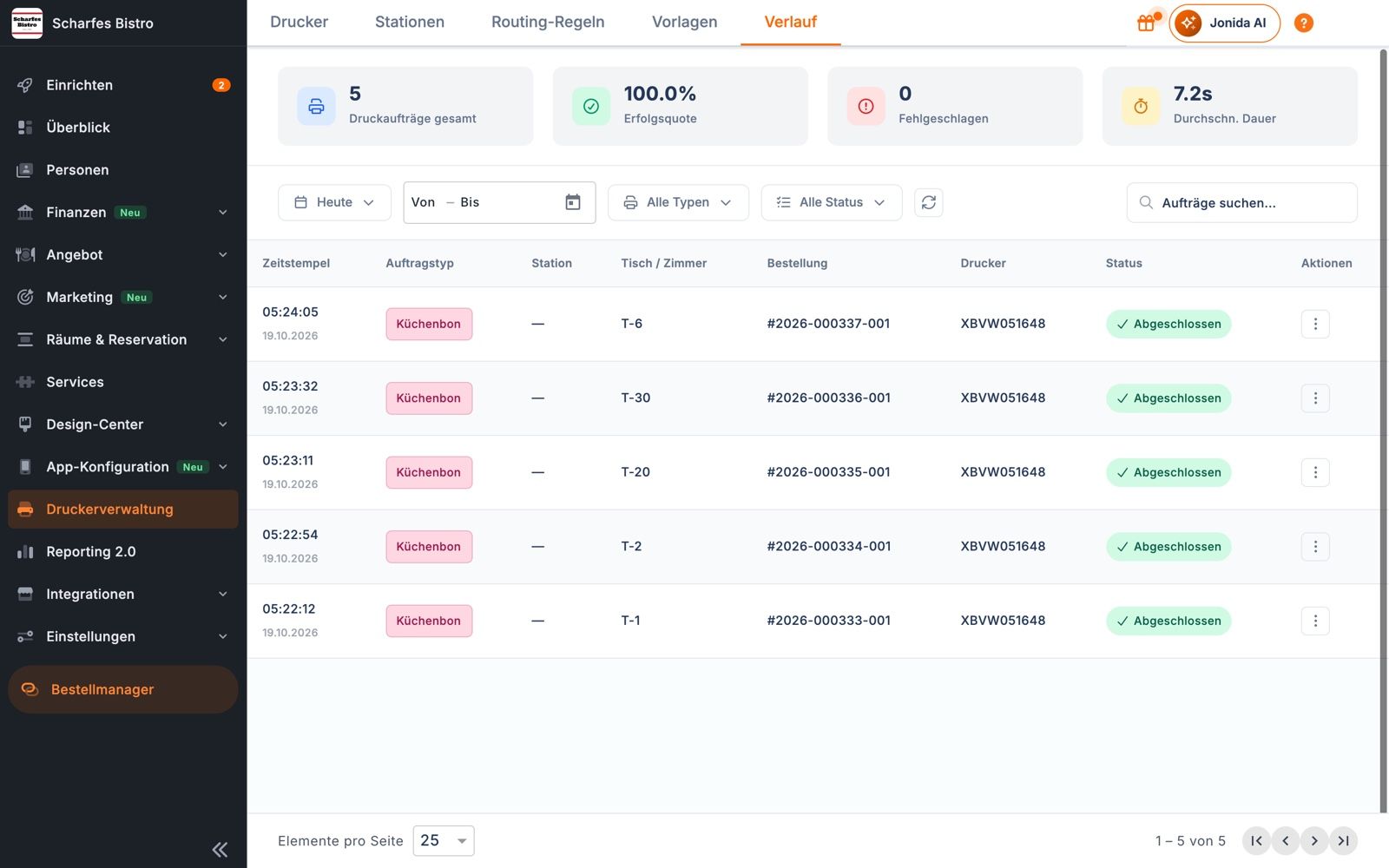
History in OrderAdmin
Every ticket is traceable
Total print jobs, success rate, failed jobs and average duration at a glance. For each job: time, type, station, table or room, order and printer. One click prints it again.
During service
Status in JamWaiter
Your team sees every print job: queued, sending, printed or failed. Failed jobs can be sent again.
Every channel
Table, QR code, kiosk, delivery
Orders from all channels follow the same rules and end up at the same station.
Always in view
Online, offline, test print
OrderAdmin shows which printer is connected. A test print checks the connection before service starts.
Plan for failures
Backup and fallback printers
Each station can have a backup printer. Items without a matching rule go to a fallback printer instead of getting lost.
Stations and rules
The ticket goes where the work happens
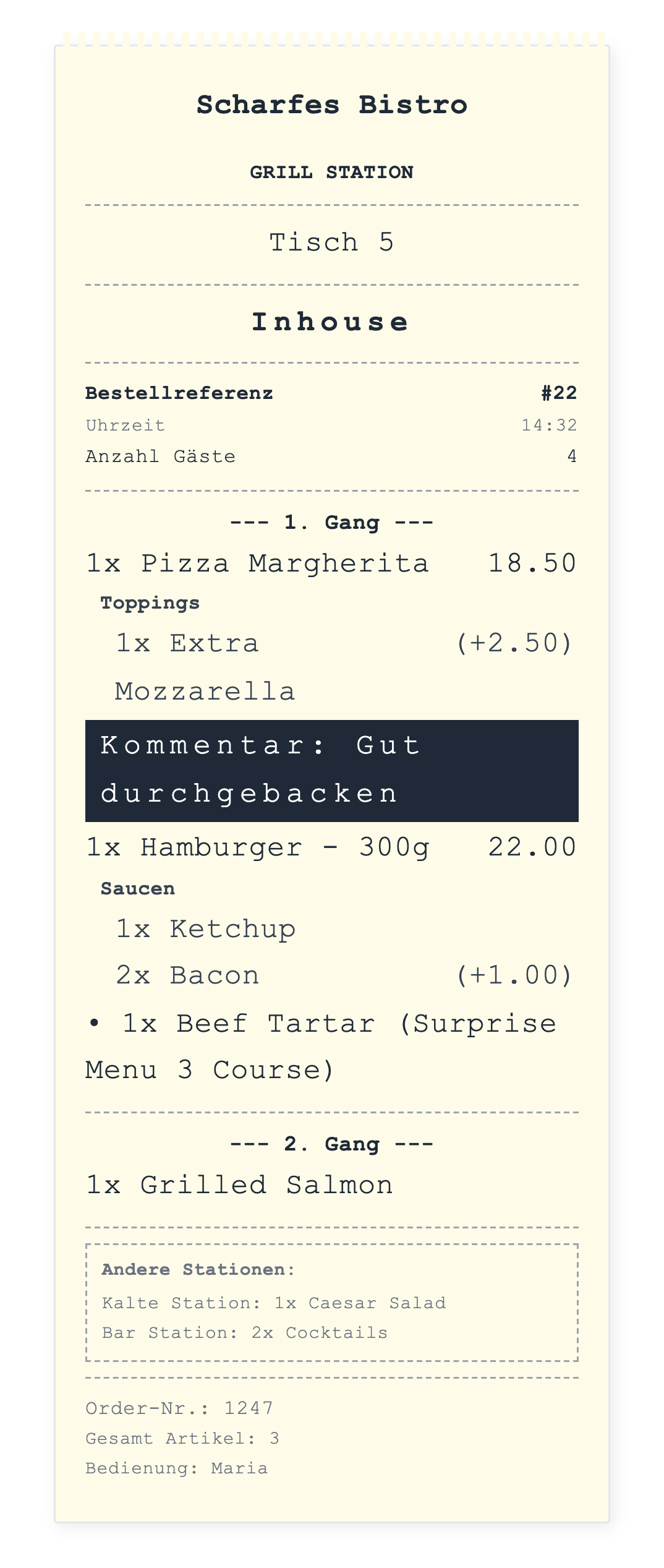
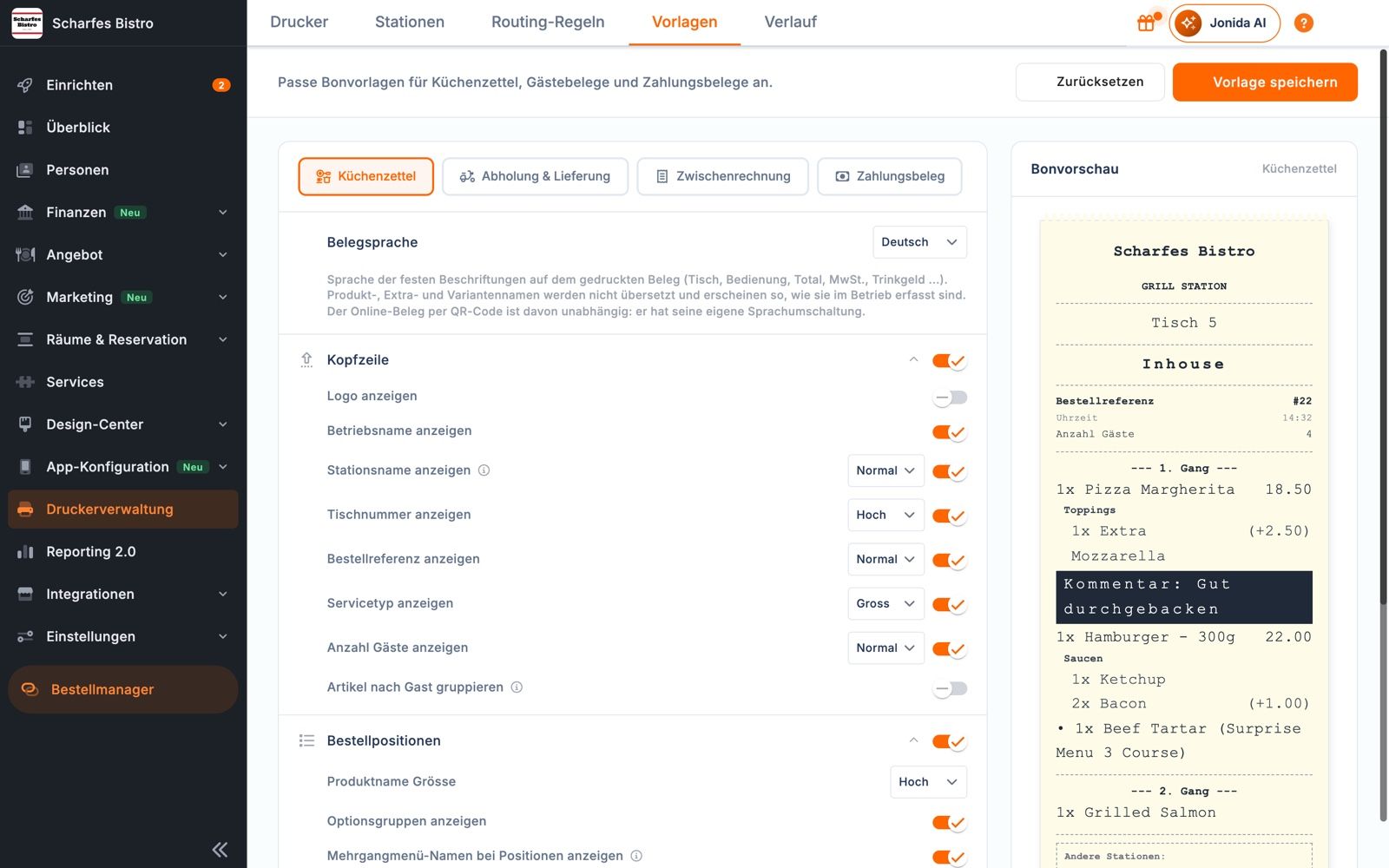
Ticket templates
The ticket the way your kitchen needs it
Templates for kitchen tickets, pickup and delivery, interim bills and payment receipts. Font sizes, logo, server, number of guests, grouped by course or by guest, receipt language German, English or Italian.
Stations
Grill, cold kitchen, bar
Stations are the zones of your venue. You assign printers to them. If you like, the ticket shows what the other stations are preparing for the same order.
Routing rules
By category, course or day
Rules by category, course, set menu, product type, station or day. The first matching rule wins.
Leave out on purpose
Do not print
Anything that needs no ticket can be excluded by a rule, for all printers or just one.
Events
Kitchen ticket, course call, void, table change
It is not just the order that gets printed. When the service team calls the next course, voids an item or merges tables, the kitchen knows straight away.
Cash
Cash drawer on the ticket printer
Depending on the printer model, the drawer opens automatically for cash payments and is recorded in the cash book.
Working together
From ordering to the ticket
- ServiceJamWaiter
orders at the table, also on the JamTerminal
- GuestsJamOrder
order by QR code, for pickup or delivery
- KioskJamKiosk
orders with a pickup number
- Kitchen and barPrinters for kitchen and bar
the ticket at the right station
- Back officeOrderAdmin
rules, templates and history
Frequently asked questions
Questions about ticket printing
Which printers can I use?
Ticket printers that connect to Jamatu via the cloud. We will work out together which model suits your venue.
What happens if a printer cannot be reached?
In JamWaiter the job shows as failed and can be sent again. In OrderAdmin you can see which printer is offline and set a backup printer for each station.
Does food go to the kitchen and drinks to the bar?
Yes. With stations and routing rules you decide which item goes to which printer, for example by product type, category or course.
Do I need printers if I use the kitchen display?
No. You can work with the kitchen display, with printers or with both, for example a screen in the kitchen and tickets at the bar.
Demo
See Jamatu for yourself
In our demo you click your way through the floor plan, courses and payment all the way to the end-of-day closing. Once you sign up, we activate your access.
- Free and with no obligation
- In your browser, no installation